Programmable Macropads: Are They Worth It in 2026?
What a macropad actually does, who genuinely benefits from one, and which options are worth trusting in a market full of generic unbranded listings.

iWriteTech Team
Tech Reviewer

On this page
A quick honesty note before this one: the macropad market is flooded with generic, barely-differentiated listings from unfamiliar brands, far more than most desk-accessory categories. This article leans more heavily on explaining what actually matters and naming the few consistently reputable options, rather than pretending there are five distinct premium tiers the way there are for keyboards or hubs.
What a macropad actually does
A macropad is a small keypad — usually 6 to 18 keys, sometimes with a rotary knob — that you program to trigger shortcuts, app switches, or multi-step macros with a single press. The honest use case: if you find yourself repeating the same 3-4 keyboard shortcuts dozens of times a day in a specific app (Photoshop brush sizes, Premiere timeline scrubbing, OBS scene switching), a macropad removes that friction. If you don't have a repetitive shortcut pattern like that, it's a novelty, not a productivity tool.
Quick Picks
- Best Known/Reputable: Elgato Stream Deck Mini
- Best for Full Customization: Any genuine QMK/VIA-compatible macropad (see note below)
- Skip: Unbranded "18-key RGB macro keypad" listings with no firmware transparency
The Reviews
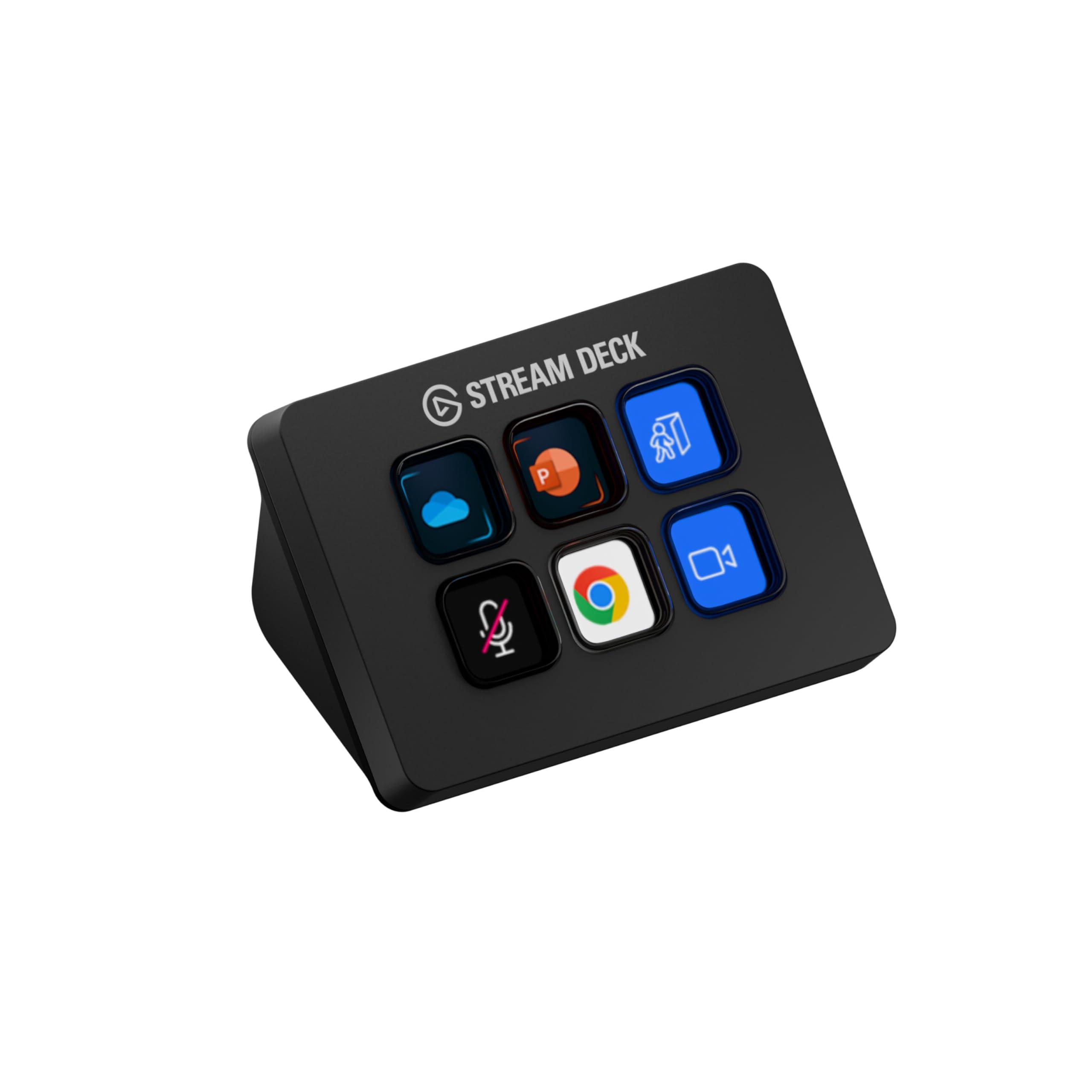
Elgato Stream Deck Mini
The Stream Deck Mini is the macropad most people have actually heard of, and for good reason — Elgato's software ecosystem is genuinely mature, with a large plugin library covering OBS, Discord, Adobe apps, and general productivity shortcuts. Each key is a small LCD display showing an icon for what it does, which removes the 'which button does what' memorization problem cheaper macropads have.
Reasons to Buy
- LCD keys show icons — no memorizing which button does what
- Mature software ecosystem with a large plugin library
- Reliable brand with established support and firmware updates
Reasons to Avoid
- Fewer keys (6) than dedicated macropads at a similar price
- Software is more consumer-friendly than deeply programmable for power users
For deeper customization: if you specifically want QMK/VIA firmware-level programmability (the same open ecosystem many hot-swappable mechanical keyboards use), look for macropads explicitly advertising QMK/VIA compatibility rather than generic "custom software" — this is a genuine quality signal in a market with a lot of noise, since QMK/VIA is an open, well-documented standard rather than a proprietary black box.
FAQs
Frequently Asked Questions
Is a macropad actually worth the learning curve?
Do macropads work on both Windows and Mac?
Are rotary knobs actually useful, or just a gimmick?
Conclusion
Start by being honest about whether you have a real repetition problem in your workflow — that's the actual test for whether a macropad earns its desk space, more than any spec comparison. If you do, the Elgato Stream Deck Mini is the safest, most supported entry point; power users who outgrow it can look specifically for QMK/VIA-compatible boutique options once they know exactly what they want to program.
Related Articles
iWriteTech Team
Tech Reviewer
Tech enthusiast and reviewer dedicated to finding the perfect balance between aesthetics and performance for modern workspaces.